Flashcards Today
Create Flashcards!
Start page -
About
Instructions
Create a deck of flashcards, and then press Start to begin practicing.
Then, a card is chosen randomly and you can make a guess before checking the answer.
If you guessed right you can either choose to keep the card in the deck if you want to practice it more, or removing it if you think you know it well enough for now.
After you have picked either Correct - Correct, but keep - or Wrong, a new card is randomly chosen, and the process is repeated until you have guessed all cards correctly and the deck is empty.
For detailed instructions, see below.
Step 1
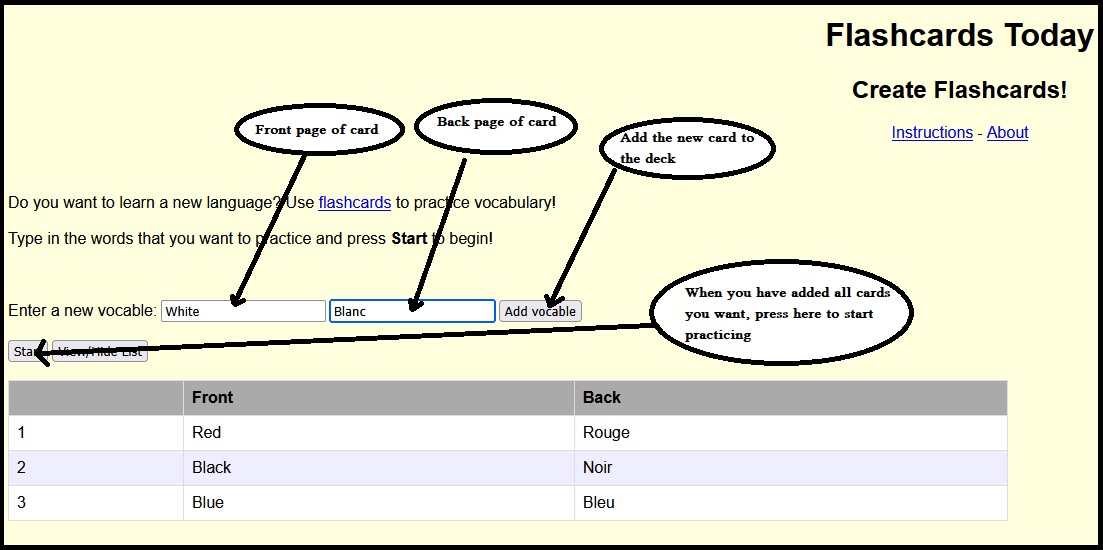
Create flashcards by typing in want you want to be on the front page and on the back page, and then pressing Add vocable. When you are done press Start to begin practicing.
After typing in the text for the front page, use Tab to move to the back page text field. When you have typed in the text for the back page, press Enter, and the new card with the vocable is added to the deck, and the front page text field is then set to active so you directly can type in the next vocable.
Step 2
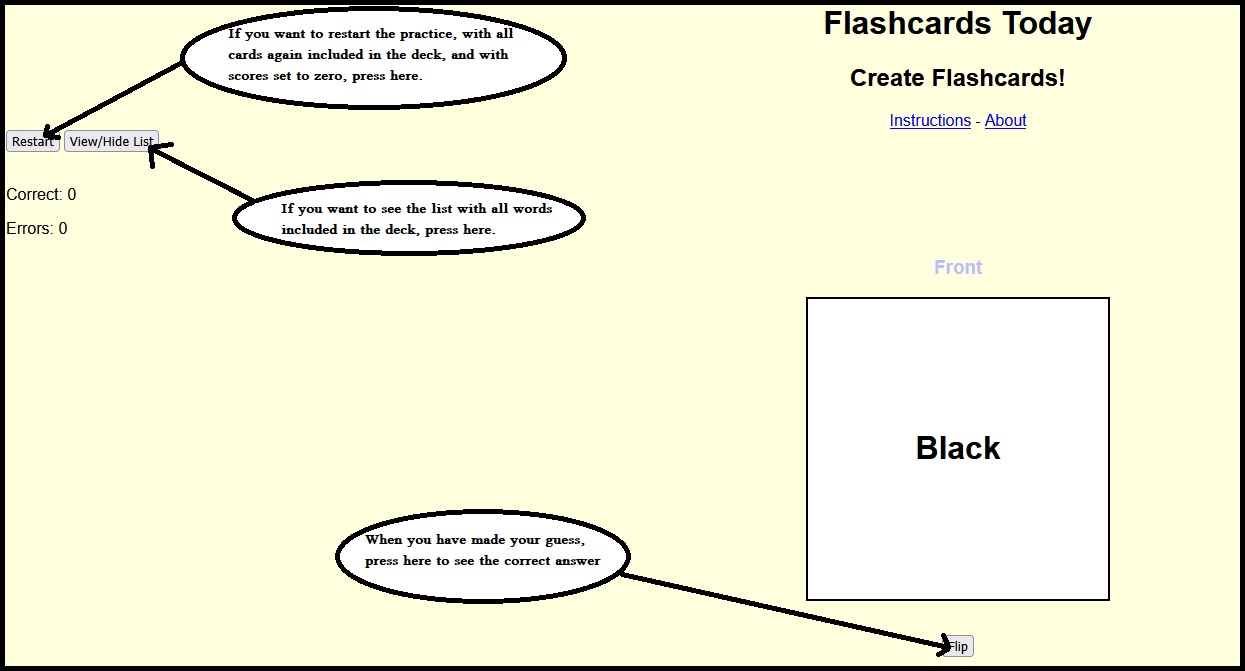
Make a guess at the correct translation of the word on the card, and then press Flip. If you want to restart (set scores to zero and include all original cards in the deck again), press Restart. If you want to see the list of all original cards in the deck, you can do that by pressing View/hide list.
Step 3
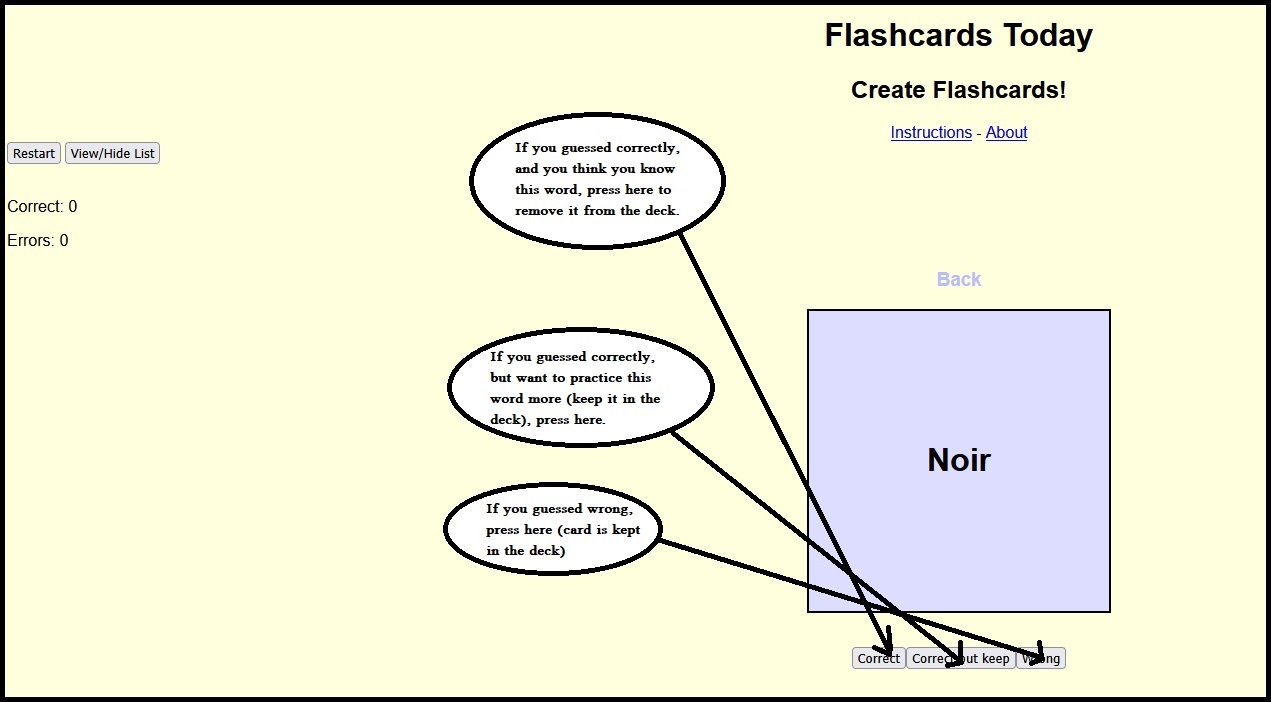
After you pressed Flip, you see the correct answer. Did you get it right? If you did, and you think you know this word and don't want to practice it any more, press Correct. This removes the card from the deck. If you guessed right, but still want to practice this word, press Correct, but keep. This keeps your card in the deck, but you get one point for guessing correctly. If you didn't get the word right, press Wrong (the card is kept in the deck). All of these three buttons also takes you to the next card.
Step 4
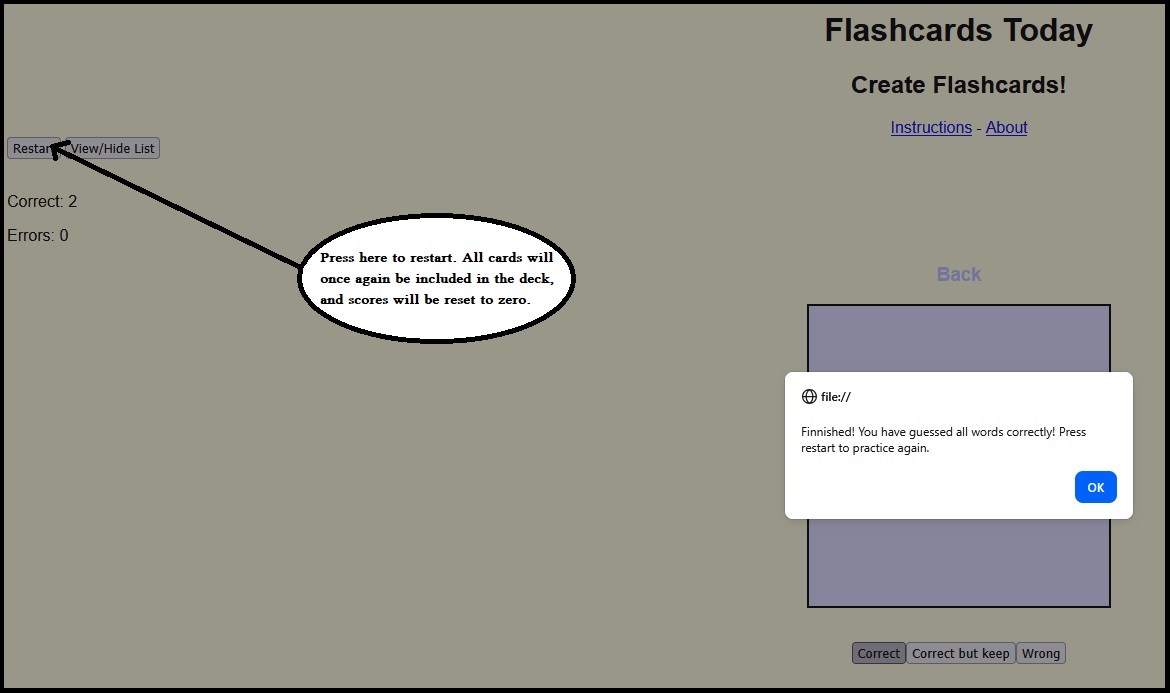
When you have guessed all cards correctly, and all cards are removed, you can either press Restart to begin practicing the same deck again, or you could refresh the page and create a new deck.